Multi-Broker Portfolio Tracking: Track a Portfolio Across Multiple Brokers
The practical workflow for multi-broker portfolio tracking, from exports and normalization to choosing the right tracker, spreadsheet, or dashboard setup. This is the main workflow page for the cluster.
Posted by
 Moses
MosesRelated reading
Weekly Portfolio Review Checklist for Multi-Broker Investors
A practical weekly portfolio review checklist for investors with multiple brokers, currencies, dividends, fees, and recurring contributions to track.
Broker Fee Comparison for European ETF Investors: 5 Real Scenarios
Compare broker fees for European ETF investing with 5 real scenarios, then route your decision into the live comparison tool and fee-drag calculator.
Best Way to Track an ETF Portfolio Across Brokers (2026)
Looking for the best way to track an ETF portfolio across brokers? Use a workflow that captures real returns, dividends, fees, and FX drag instead of dashboard noise.
Track a portfolio across multiple brokers: the fast answer
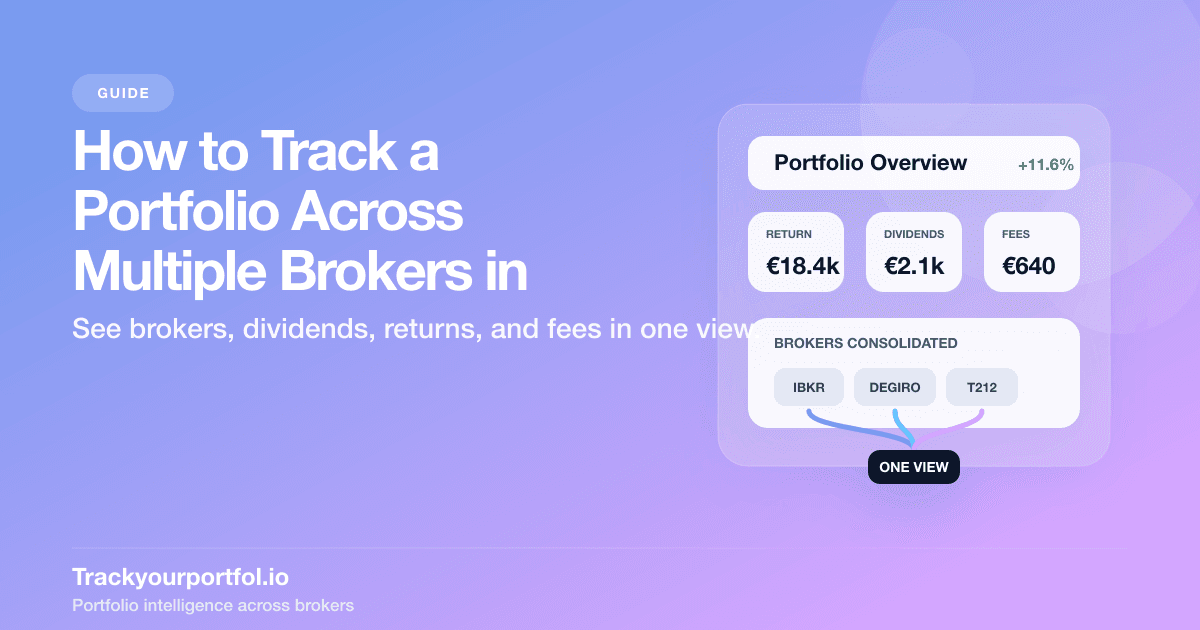
If your setup looks like DEGIRO for core ETFs, Interactive Brokers for broader market access, and Trading 212 for smaller recurring buys, the right answer is not three better dashboards. The right answer is one workflow that pulls every trade, dividend, fee, FX event, and transfer into the same portfolio review.
For most serious investors, that also answers the tool-selection question. Once you need one consolidated portfolio view plus the ability to inspect each broker separately, the better fit is usually a dedicated multi-broker tracker rather than another spreadsheet or a set of disconnected broker tabs. The finished output should show consolidated holdings, per-broker views, holdings detail, transaction history with broker filters, and performance views for the questions real investors ask: allocation, yearly returns, dividends, fees, and broker-level context.
This page is the parent workflow for that job and the main target in this cluster for multi-broker portfolio tracking intent. Use the spoke guides for export setup and deeper sub-problems: DEGIRO CSV export, IBKR Flex Query setup, real portfolio returns after fees, portfolio performance across multiple currencies, and the best way to track an ETF portfolio. If you want the background argument for why broker dashboards mislead, read why fragmented broker dashboards mislead investors after this page. That article is supporting context, not the main workflow.
If you already know you want one system instead of another spreadsheet rescue, start with Trackyourportfol.io or open the portfolio preview first. That gives you a direct product path before you branch into compare broker fees, the hidden investment fees calculator, or how broker fees affect returns when you want to benchmark how small cost differences compound over time.
Choose the right next step in 30 seconds
- Want one portfolio view now? Go straight to Trackyourportfol.io or open the portfolio preview if your main pain is fragmented broker data.
- Still choosing between brokers? Use compare broker fees before you move money or add another account.
- Keeping the same brokers but worried about drag? Use the hidden investment fees calculator after you confirm the setup you plan to keep.
- Only trying to understand why dashboards feel misleading? The supporting awareness read is why fragmented broker dashboards mislead investors.
What each broker dashboard misses
Each broker dashboard is useful for checking its own account. None of them is designed to describe your full investing system. That is why fragmented dashboards create false confidence.
| Broker dashboard | Usually shows well | Usually misses | Why it matters |
|---|---|---|---|
| DEGIRO | Holdings, cash, and trade history inside the DEGIRO account | Total allocation, portfolio-level return, and fee drag once other brokers are involved | You can think the ETF sleeve is balanced when the full portfolio is not. |
| Interactive Brokers | Detailed executions, cash activity, and rich reporting fields | A simple investor-level view across DEGIRO, Trading 212, and any other external account | Excellent account reporting still does not solve cross-broker consolidation. |
| Trading 212 | Clean position view and approachable transaction exports | ISIN-based cross-broker matching, combined fee analysis, and total exposure across accounts | A simple interface can hide how fragmented the overall dataset really is. |
The missing layer is the parent workflow: extract transaction-level data, normalize it once, reconcile it, then review the whole portfolio before making broker, allocation, or performance decisions.
The 30-minute multi-broker consolidation plan
If you want the shortest useful version, do this before you overthink tools:
- Step 1: Export every broker for the same review window so you start from one comparable snapshot.
- Step 2: Check that each file includes dates, instrument identifiers, quantities, prices, fees, currencies, cash movements, and dividend lines.
- Step 3: Normalize identifiers and reporting currency, but preserve the original transaction currency for accurate cost basis.
- Step 4: Mark internal transfers so the same security is not counted twice across source and destination brokers.
- Step 5: Reconcile holdings and cash against each broker dashboard before trusting any consolidated return number.
- Step 6: Review the whole portfolio first. If the next decision is broker choice, go to compare broker fees. If the broker mix is staying the same and you want to quantify hidden drag after that, use the hidden investment fees calculator.
That sequence beats a dashboard-first workflow because it surfaces the real blockers early: missing fields, broken identifiers, transfer duplication, and the question of whether your problem is visibility, fee drag, or return methodology.
What should you export from each broker?
The parent workflow only works if you start from transaction-level data instead of position snapshots. Here is the practical broker summary most investors need first.
| Broker | Best export for consolidation | Must-have fields | Main normalization issue |
|---|---|---|---|
| DEGIRO | Transaction or account statement CSV | ISIN, trade date, quantity, price, fees, FX lines, cash movements | Auto-FX often appears as separate lines that need to be matched back to the trade. |
| Interactive Brokers | Activity Flex Query export | Trades, cash transactions, dividends, withholding tax, open positions, identifiers | IBKR gives rich data, but only if the Flex Query is configured correctly. |
| Trading 212 | Transaction history CSV | Ticker, date, quantity, price, FX fee, stamp duty, total consideration | No ISIN in the standard CSV, so symbol mapping is the first cleanup step. |
If your broker is not listed above, the rule stays the same: export the fullest transaction ledger you can get. TrackYourPortfol.io supports CSV import with AI-assisted parsing for 50+ broker formats and SnapTrade brokerage connection via OAuth for 50+ brokers, but the underlying job does not change. You still need trades, cash flows, dividends, fees, and transfers in one consistent dataset.
How do you normalize fragmented broker files into one portfolio view?
Normalization is where most DIY workflows become unreliable. The problem is rarely exporting the files. The problem is getting those files to describe the same economic reality.
- Match instruments consistently: use ISIN where possible, then map tickers and listings that represent the same exposure.
- Keep original transaction currency: translate into one reporting currency for review, but do not overwrite the original trade currency in the ledger.
- Separate event types: buys, sells, deposits, withdrawals, dividends, withholding tax, fees, and transfers should remain distinct events.
- Carry cost basis through transfers: a broker transfer should move history, not create a new purchase.
- Validate against positions before performance: if the holdings do not reconcile, the return math will not either.
Once the ledger is clean, you can finally answer the real questions: total allocation, portfolio-level P&L, dividend flow, and whether the portfolio's performance holds up after costs. If the hard part is currency translation, go next to portfolio performance across multiple currencies. If the dataset is clean and the next question is what you actually kept, continue with real portfolio returns after fees. If the portfolio is mostly ETFs, the ETF-specific version of this workflow is our best way to track an ETF portfolio guide.
Spreadsheet, broker dashboard, or dedicated tracker?
This is the tool-selection section of the page, because choosing the tracking system is part of the workflow, not a separate awareness topic. The right tool depends on how much complexity your portfolio already contains.
- Spreadsheet: acceptable for a small, stable setup. It becomes fragile once you add transfers, recurring buys, FX, or multiple tax lots across brokers.
- Broker dashboards: good for trade execution and account checks, but structurally weak for portfolio truth because each dashboard stops at its own boundary.
- Dedicated tracker: the better choice once you want a repeatable monthly workflow rather than another spreadsheet rescue project.
TrackYourPortfol.io is built for that parent workflow: CSV import with AI-assisted parsing for 50+ broker formats, SnapTrade brokerage connection and sync for supported brokers, one consolidated portfolio view plus per-broker views, holdings detail, transaction history with broker filters, and performance tracking for holdings, allocation, yearly returns, dividends, and fees. If you want a wider tool comparison instead of the workflow itself, use our best portfolio tracker for Europe guide.
The practical decision rule is simple: if your main blocker is seeing the whole portfolio clearly, do not get stuck in support tools first. Open the portfolio preview or start with Trackyourportfol.io. Use compare broker fees only when the next decision is which broker should hold the assets, and use the hidden investment fees calculator when you already know the broker mix and want to measure its annual drag.
What mistakes distort the numbers most?
The errors that break multi-broker tracking are usually boring operational mistakes, not advanced finance mistakes.
- Using today's FX rate for historical cost basis: this distorts gains on foreign-currency positions immediately.
- Double-counting transfers: moving cash or securities between brokers should not look like a deposit plus a new purchase.
- Tracking positions without the cash ledger: if you ignore dividends, withholding tax, and fees, you cannot measure real investor outcomes.
- Mixing IRR and TWR without deciding the question first: use one methodology deliberately, then compare like with like.
- Only reviewing one sleeve of the portfolio: this is how duplicate exposure and fee creep survive for months.
If the numbers already feel directionally right but economically incomplete, the next read is usually real portfolio returns after fees. If the disagreement comes from currency translation, go to portfolio performance across multiple currencies.
What should you do next?
Use this page as the parent workflow, then route the next task precisely:
- Want the direct product path? Start with Trackyourportfol.io or open the portfolio preview if you already know the real job is multi-broker consolidation.
- Need export mechanics first? Start with DEGIRO CSV export and IBKR Flex Query setup.
- Mostly ETF holdings across brokers? Use the ETF portfolio tracking workflow.
- Need the return math after the data is clean? Continue with real portfolio returns after fees and portfolio performance across multiple currencies.
- Thinking the broker mix itself may be the issue? Run compare broker fees first, then use the hidden investment fees calculator to audit the cost drag of the setup you keep.
- Want the supporting theory for why this workflow matters? Read why a consolidated dashboard matters after you finish this page.
The main point is simple: stop treating each broker as a separate truth. Build one trusted portfolio view, then make broker, allocation, and performance decisions from that single operating system.